Feature guide
This month's goals
Set what you want to achieve this month, see how you're doing and let your ideas and scripts push toward it.
In this guide
Each month starts from zero: your progress only counts what happens in the current month.
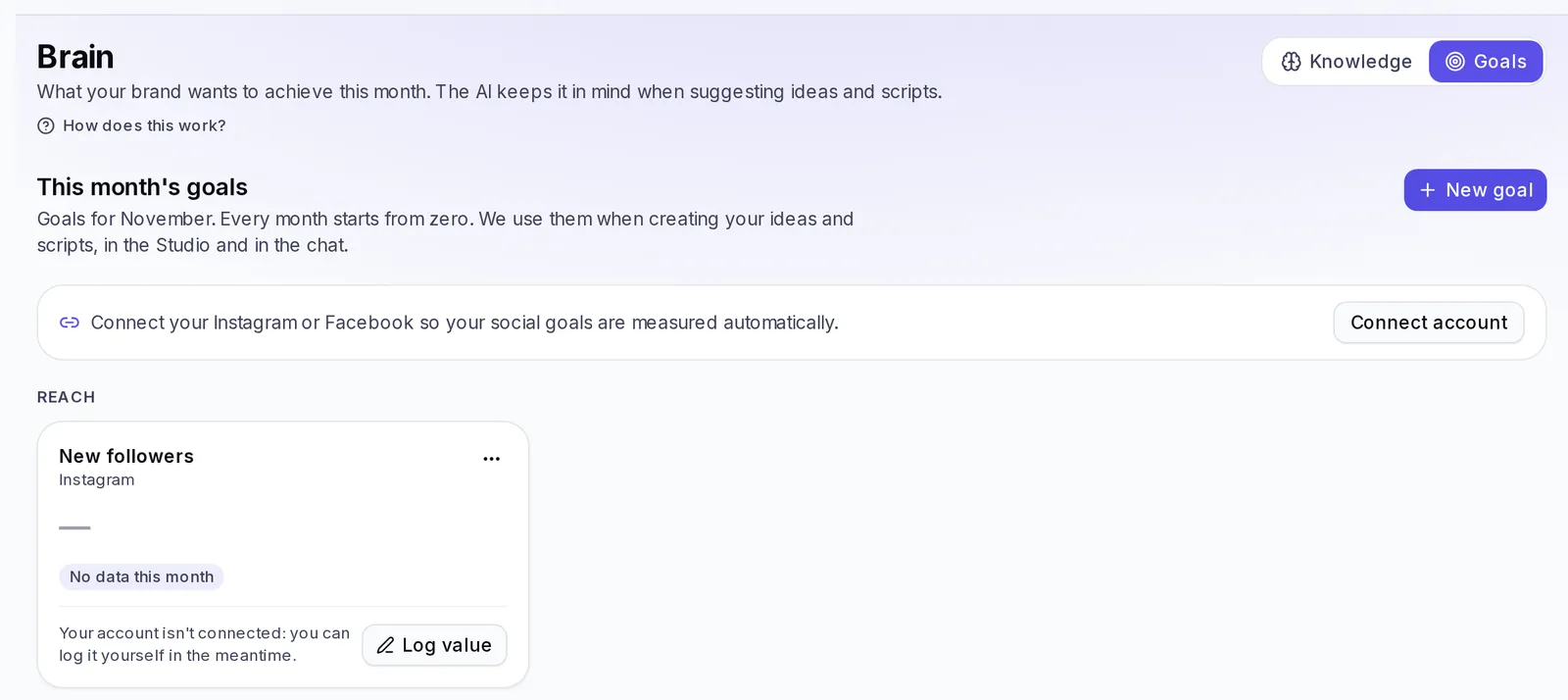
Create a goal
- Tap New goal (or Create my first goal if you don't have any yet).
- In What you want to measure, choose the metric: there are reach, engagement, ads, email and website metrics.
- If the metric is measured automatically, choose the account in Which account. The ones that only exist on Instagram are measured on Instagram; new followers, views and interactions also allow Facebook or All your accounts. The ones you log yourself don't ask for an account. A metric you already track shows as "You already have this goal".
- In Your goal, type the number you want to reach.
- Tap Save goal.
The ones measured automatically and the ones you log
- Measured automatically with your connected account: new followers, views and interactions (Instagram and Facebook), and on Instagram also reach, profile visits, engagement rate, likes, comments, shares and saves.
- You log them: ads, email and website goals, plus downloads, link clicks and video retention. You'll see the label "Logged by you".
To log a value, tap Log value on the goal's card, type how much you have so far this month and save. After that, the button says Update value: there you change the number whenever you want, or tap Clear value to remove it.
Each brand has a maximum number of goals. If you see "You've reached the maximum number of goals for this brand", remove one to add another.
If you have social media goals and haven't connected your account yet, you'll see a notice to connect it. In the meantime, you can log them yourself.
How you're doing
Each card tells you how you're doing:
- Achieved: you've already reached it.
- On track: if you keep going like this, you'll get there.
- Behind pace: you're going slower than you need to reach it by the end of the month.
- Not there yet: you still haven't reached the minimum you set.
- No data this month: there's no number for this goal yet.
From the card you can Change goal or Remove goal.
Tips
- Start with one or two goals. Too many goals at once dilute the focus of your ideas.
- If the card says your account hasn't sent data in days, check your connection in Connections.